
A week ago I wrote about MeshOS Repeater, the firmware for base repeaters that live up a mast or in the loft. This post is about some new firmware I've been working on for the Heltec V4 Expansion Kit. The kit puts a Heltec V4 behind a 2.8 inch touch screen, small enough for a pocket, and MeshOS Field Tester turns it into three things at once: a mesh analyser you can carry about, a proper repeater, and an AirLink bridge that puts phones running the MeshOS app on your MeshCore network.
I've always liked the idea of having a temporary repeater with a full GUI for use when travelling to new places. If you arrive at a holiday destination, for example, and you are unsure of the mesh topography of the area, it can be fiddly logging into your own repeater to check neighbours and work out what's going on quickly... so here is the solution!
Three things in one pocket
- A mesh analyser. Live signal and noise floor, the nodes you hear directly and how well they hear you, a graph of the paths into you, and every packet on the air, all on the touch screen.
- A repeater. The full MeshOS Repeater underneath, with a setup wizard and every setting on the screen, the web page over WiFi, and the MeshOS app over Bluetooth or your network.
- An AirLink bridge. Phones running the MeshOS app reach your MeshCore network through the kit, with no radio of their own.
The signal meter: finding the sweet spot
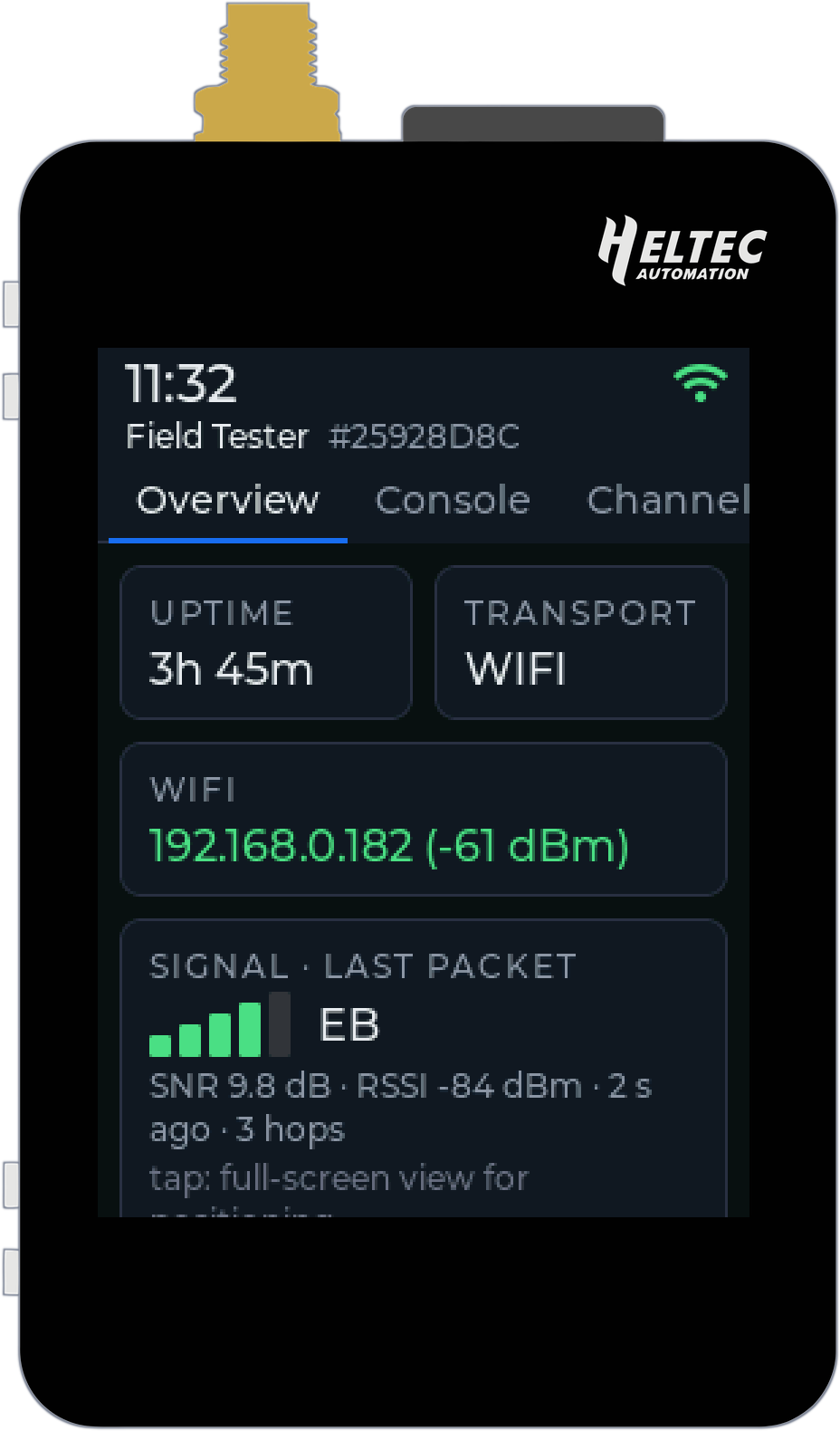
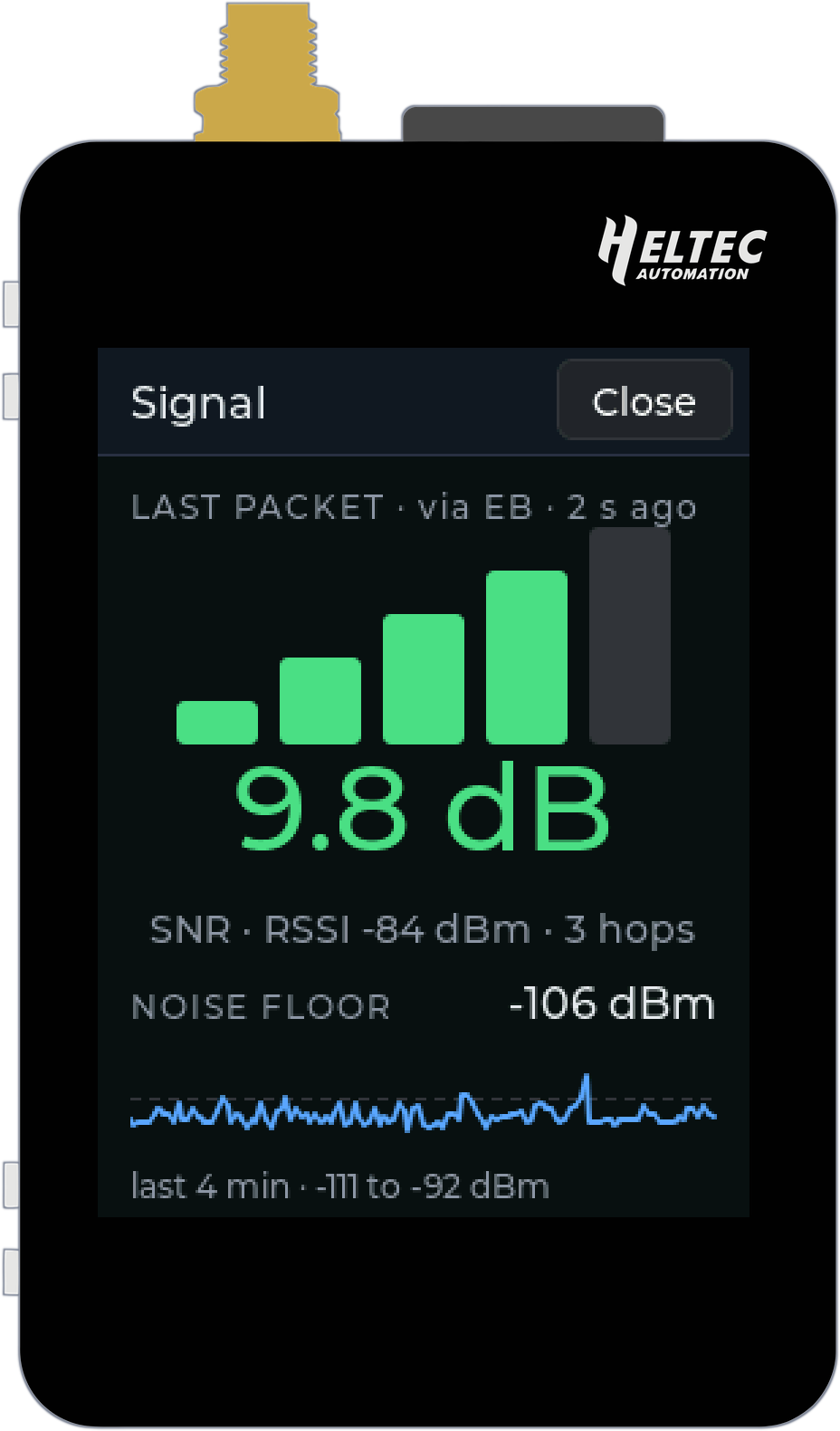
The Overview has the whole picture at a glance: uptime, how the kit is connected, the signal of the last packet heard, the noise floor and the airtime. Tap the signal or noise floor card and you get the screen I use most, a full-screen signal meter. Big bars, the SNR in big numbers (green when it is good, red when it is not), the RSSI, how many hops the packet had done and which repeater handed it over, then the noise floor with a scope of the last few minutes. It updates every second and keeps the screen on while it is open, so you can walk round the garden, up the stairs or along the ridge and watch the numbers move.
Where should the new repeater go? Which window ledge? Is that hill worth the climb? Hold the kit in each spot for a minute and watch: the strongest bars and the quietest noise floor win. And when a friend says their messages are not getting out, take the kit round. If it hears the mesh fine from their house, look at their radio and antenna. If it does not, it is the spot.
Who can you hear, and who can hear you?
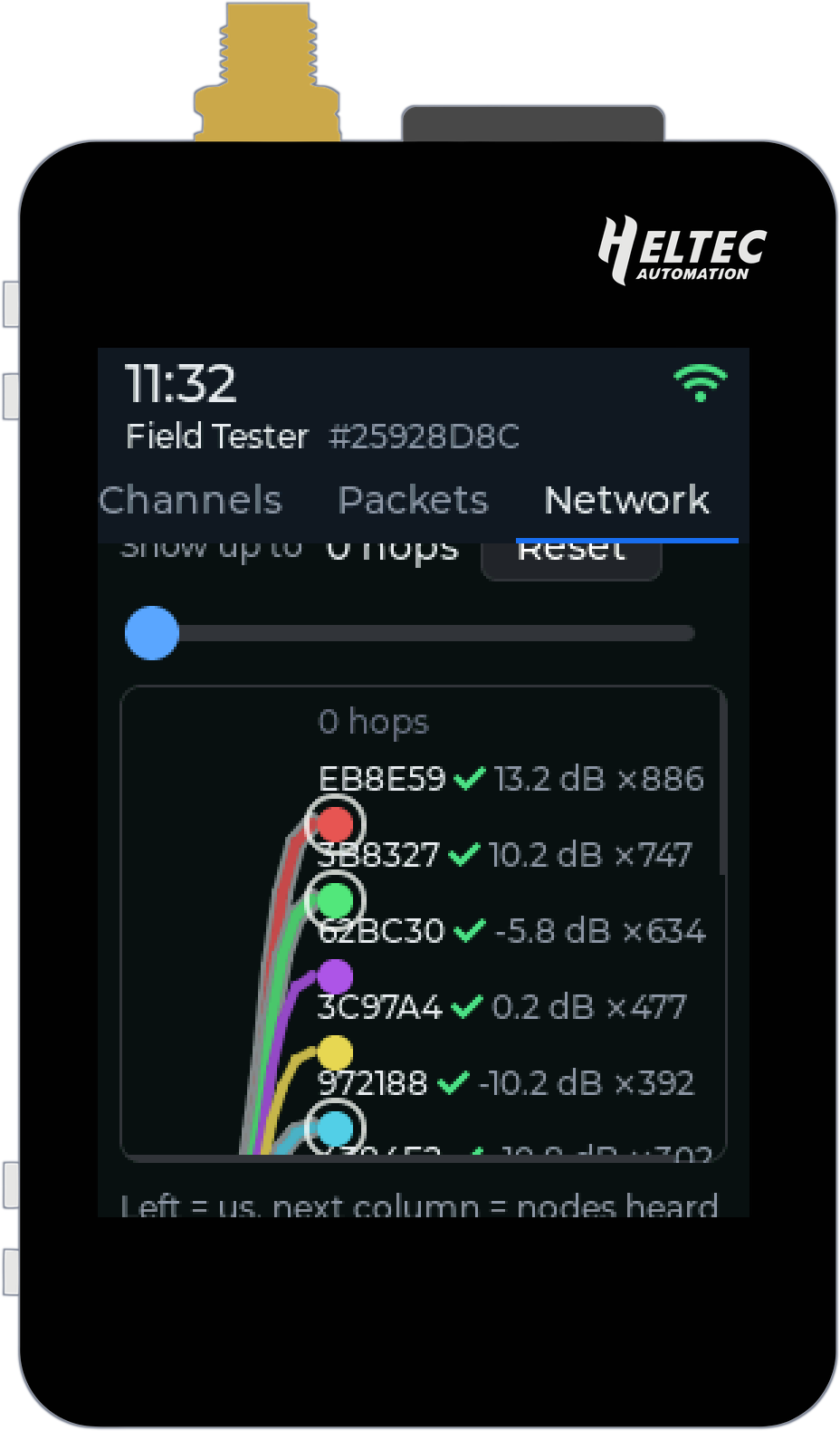
The Network tab has three views. Graph draws the paths packets take to reach you: you on the left, the nodes you hear directly beside you with their SNR and how many packets came that way, and the nodes behind them further out. The hop slider peels the layers back one at a time.
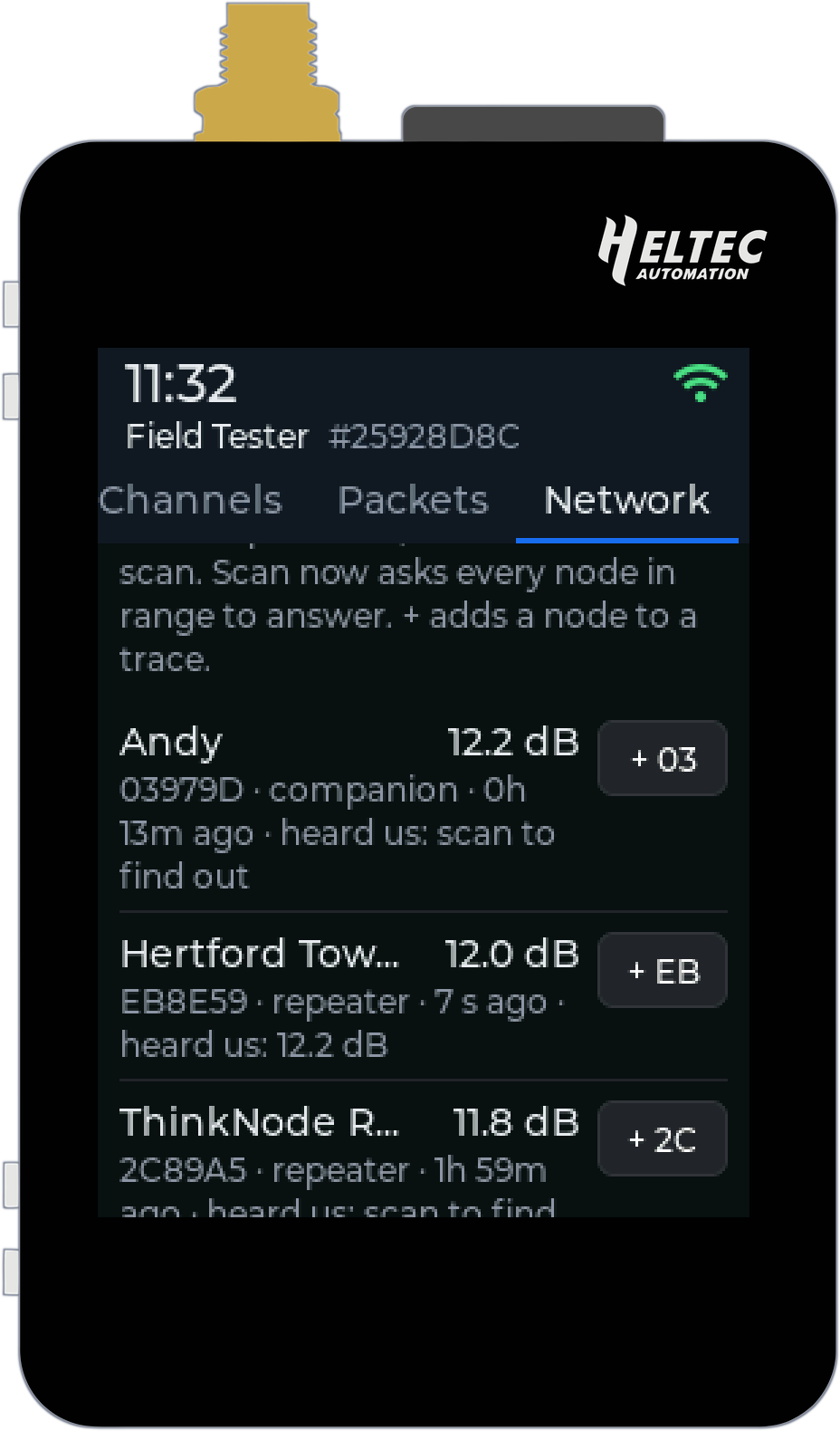
Neighbours lists every node heard directly, with its name, ID, type, when it was last heard and the signal it arrives at. Press Scan now and every repeater in range answers, so you also see the signal they hear you at. A link that only works one way is one of the classic reasons messages go missing, and now you can spot it in a few seconds, standing right there.
Trace sends a packet along a path you choose, hop by hop, and every hop records the signal it heard it at, there and back if you tick "and back". The + beside each neighbour adds it to the path.
Every packet on the air
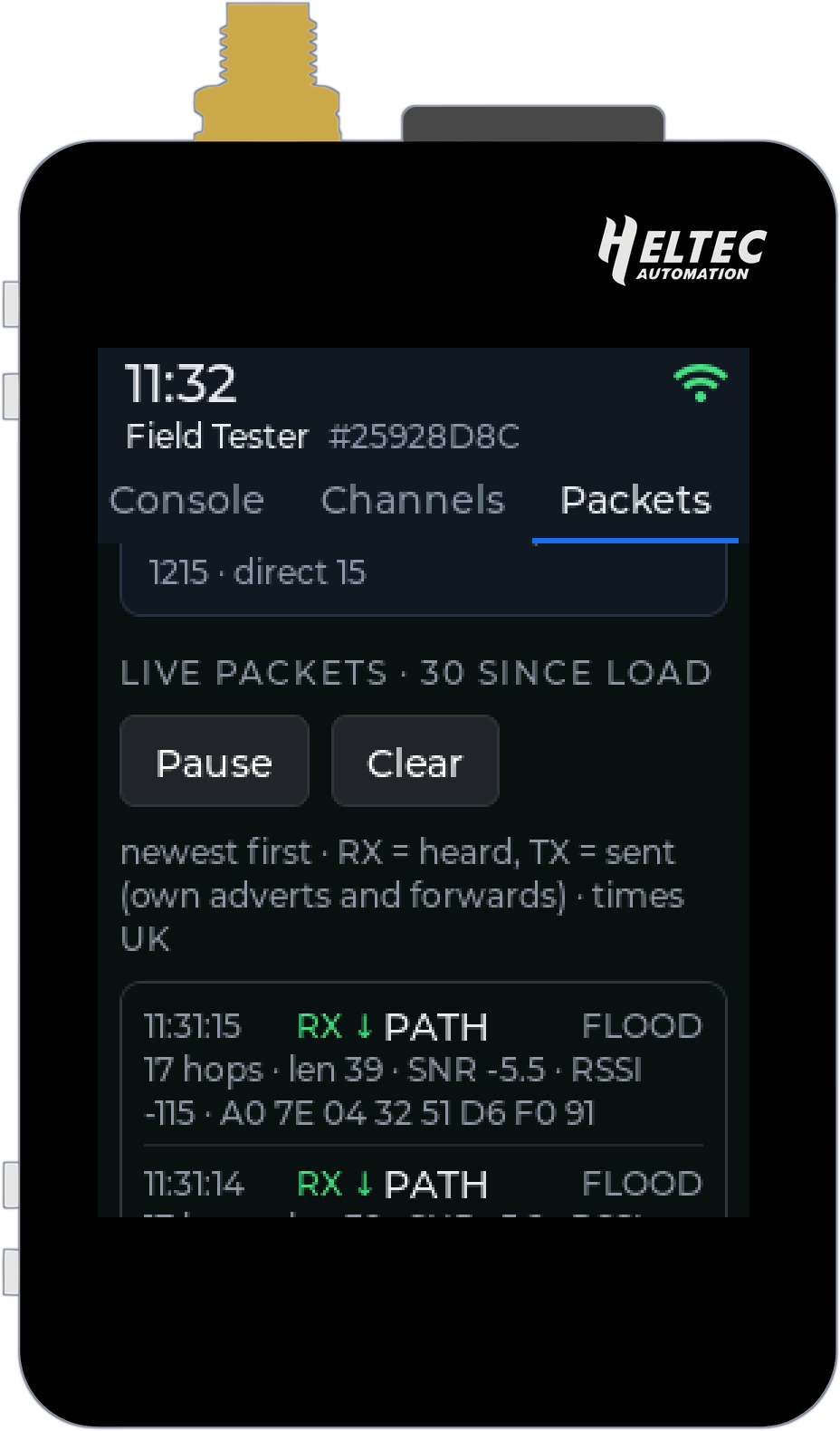
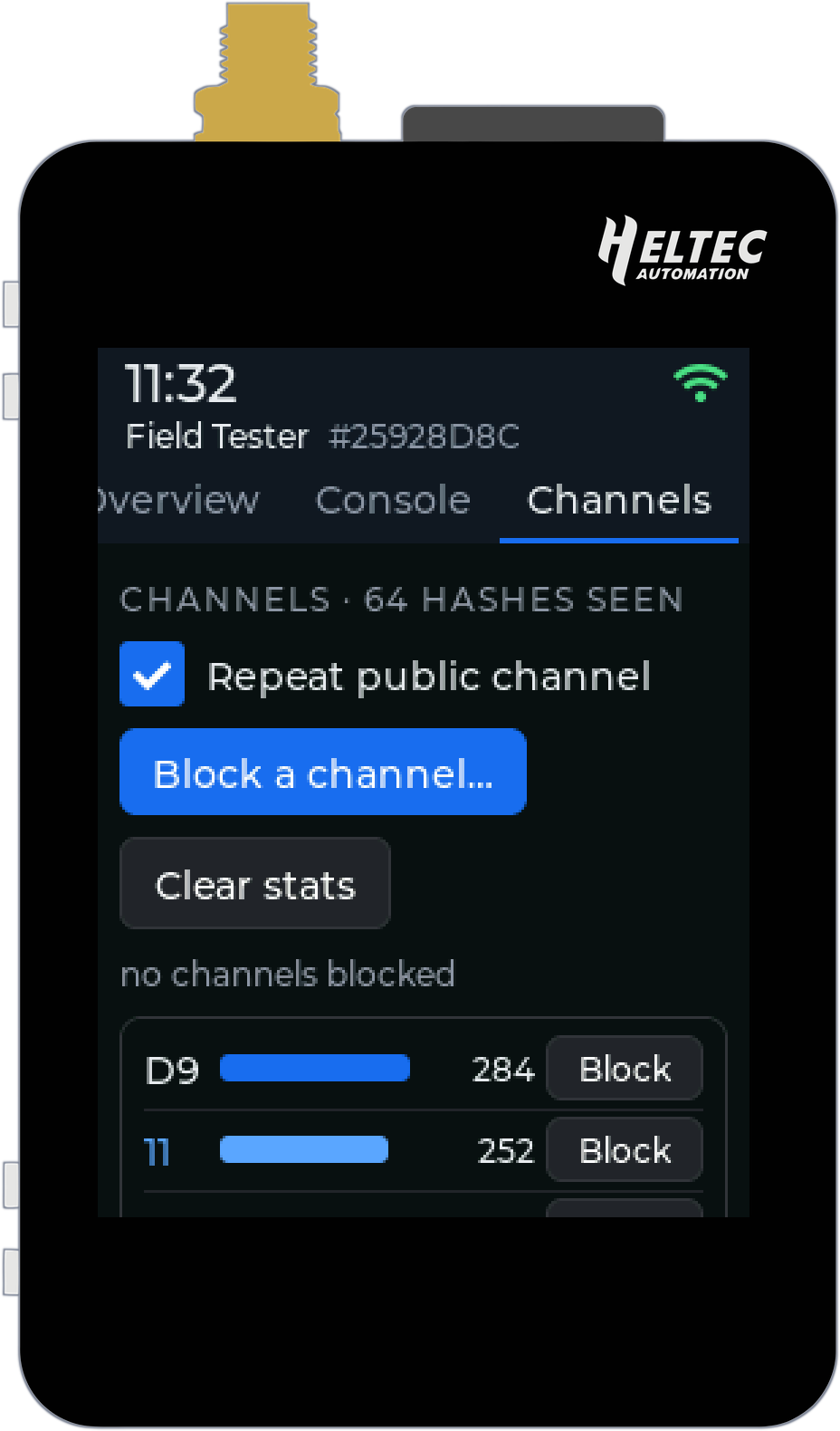
Packets is a live log of everything the kit hears and sends, newest first: the time (in your own time zone), the type, how many hops it has done, its SNR and RSSI, and the path it took. Above it sits the airtime, how busy the channel has been since boot, over the last five minutes and over the last day. If the mesh feels slow, this is where you find out whether it is busy or just quiet where you are standing.
Channels ranks every channel hash heard by its traffic. If one is flooding your patch, press Block and the kit stops repeating it.
AirLink bridge: phones on the mesh, no radio needed
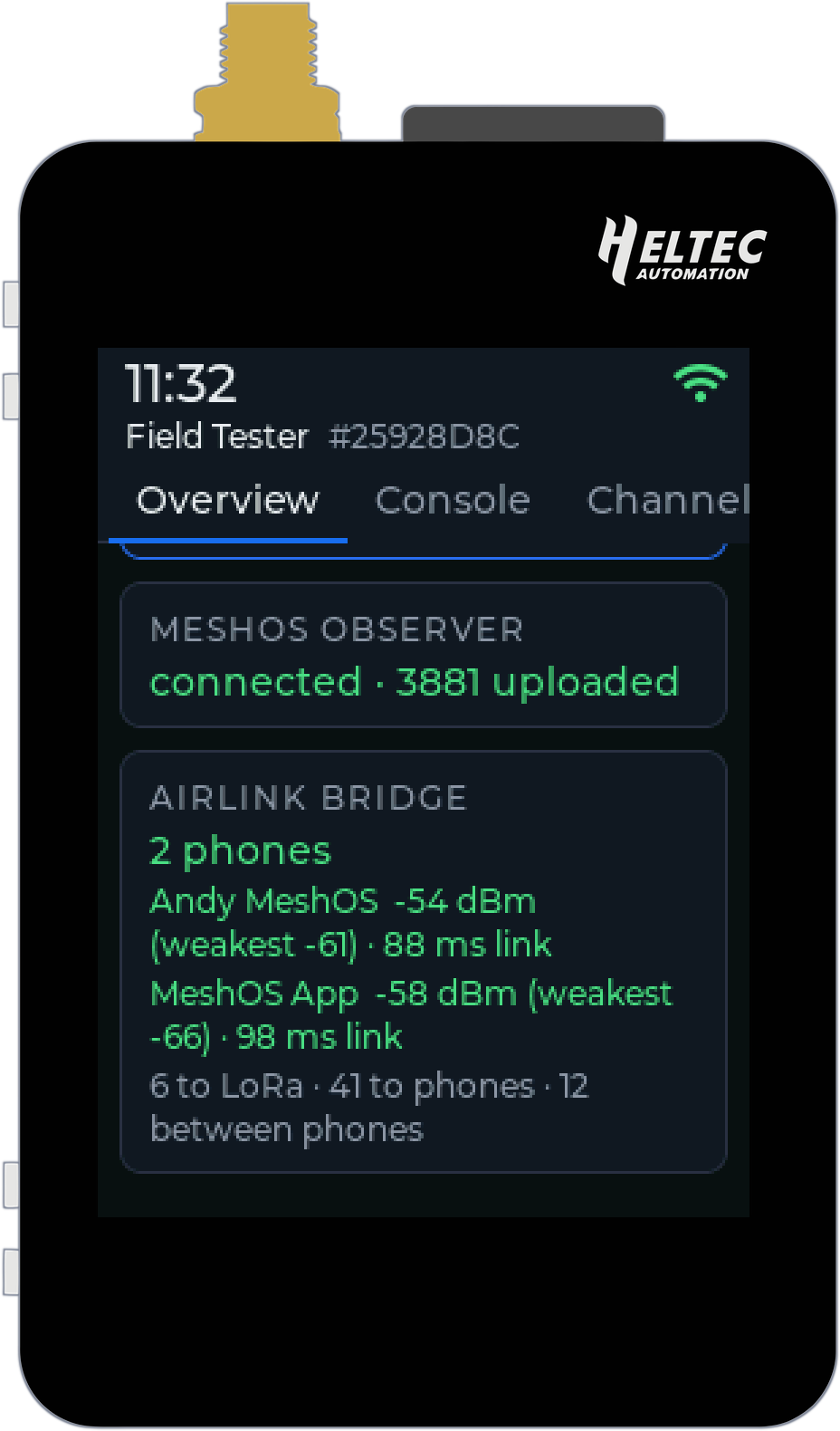
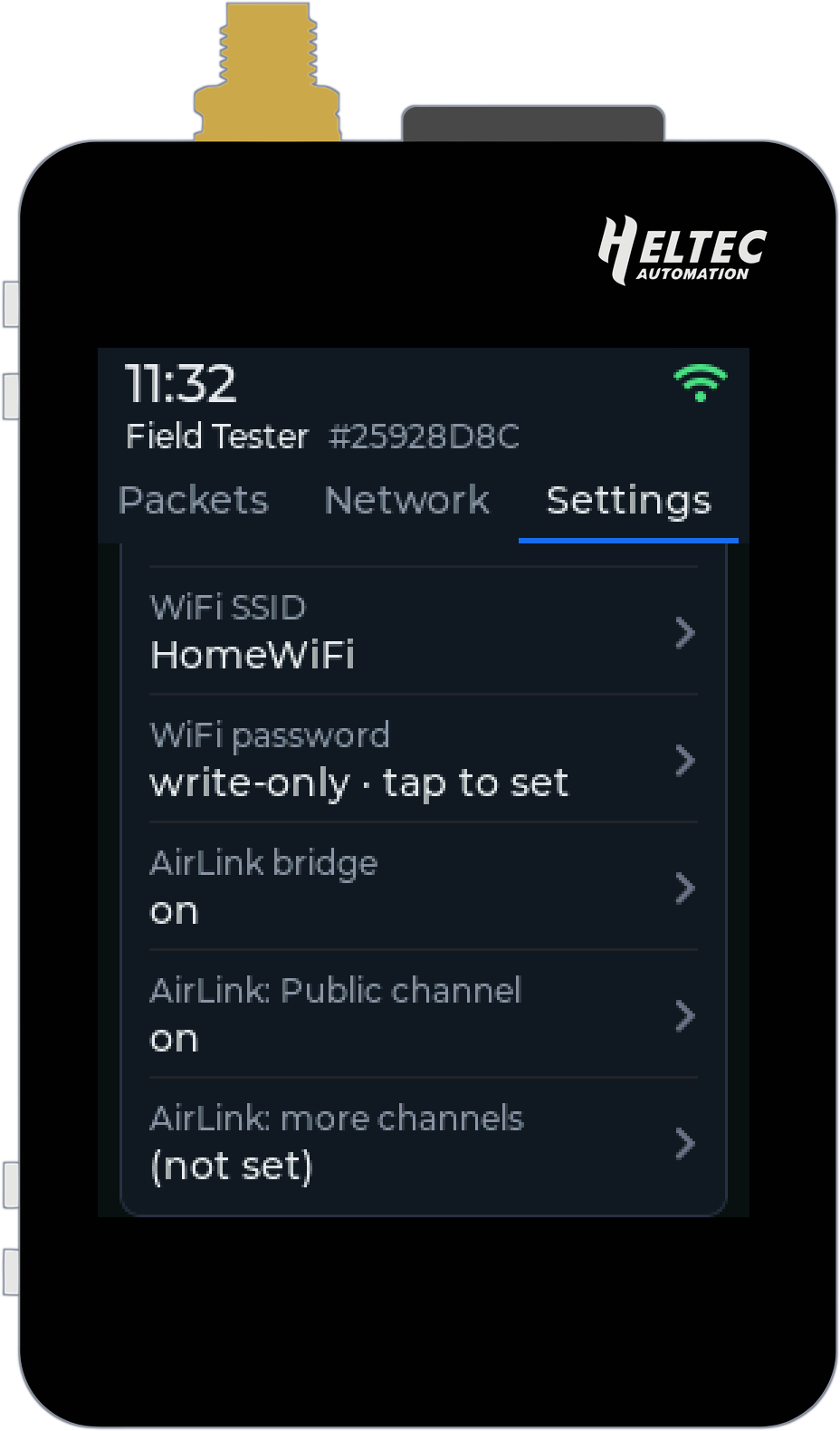
This is the part I am most excited about. AirLink is the MeshOS app's phone-to-phone mesh: phones running the app talk to each other over Bluetooth, no radio and no internet needed. Switch on the AirLink bridge and the phones on AirLink around the kit are on your MeshCore network as well. Direct messages and their delivery receipts cross both ways, and so do the Public channel and any hashtag channels you add. Everything stays end-to-end encrypted, exactly as it was sent. The kit carries your direct messages, it cannot read them.
Up to three phones connect to the kit at once, and the Overview lists each one with its signal and link. Picture one kit on the club stand at a rally, one in the rucksack on a family walk with everybody's phone on the mesh, or a group at a festival where only one of you bought a radio. With AirLink on in the app, phones join by themselves when they come into range, and there is nothing to pair.
A few details matter. Phones' adverts never go out on LoRa, so the bridge does not fill the airwaves with phones announcing themselves. Two bridges in the same place take turns, so a message is not sent twice. And the app shows which repeater put your message on LoRa, so you know it got out.
It is off by default. Turn it on in Settings, in the Network section, and restart. It works in Bluetooth mode and in WiFi mode.
Still a proper repeater
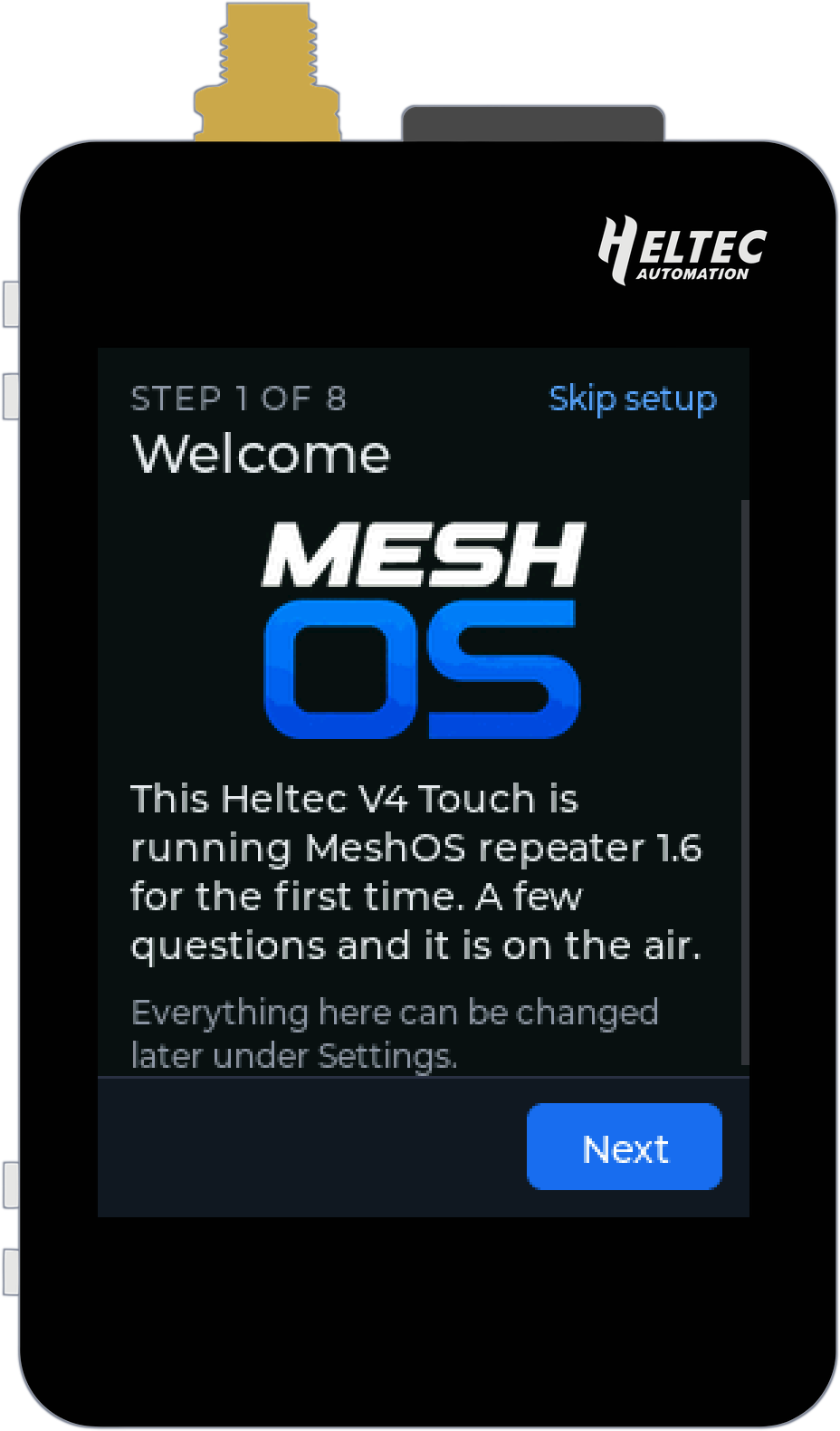
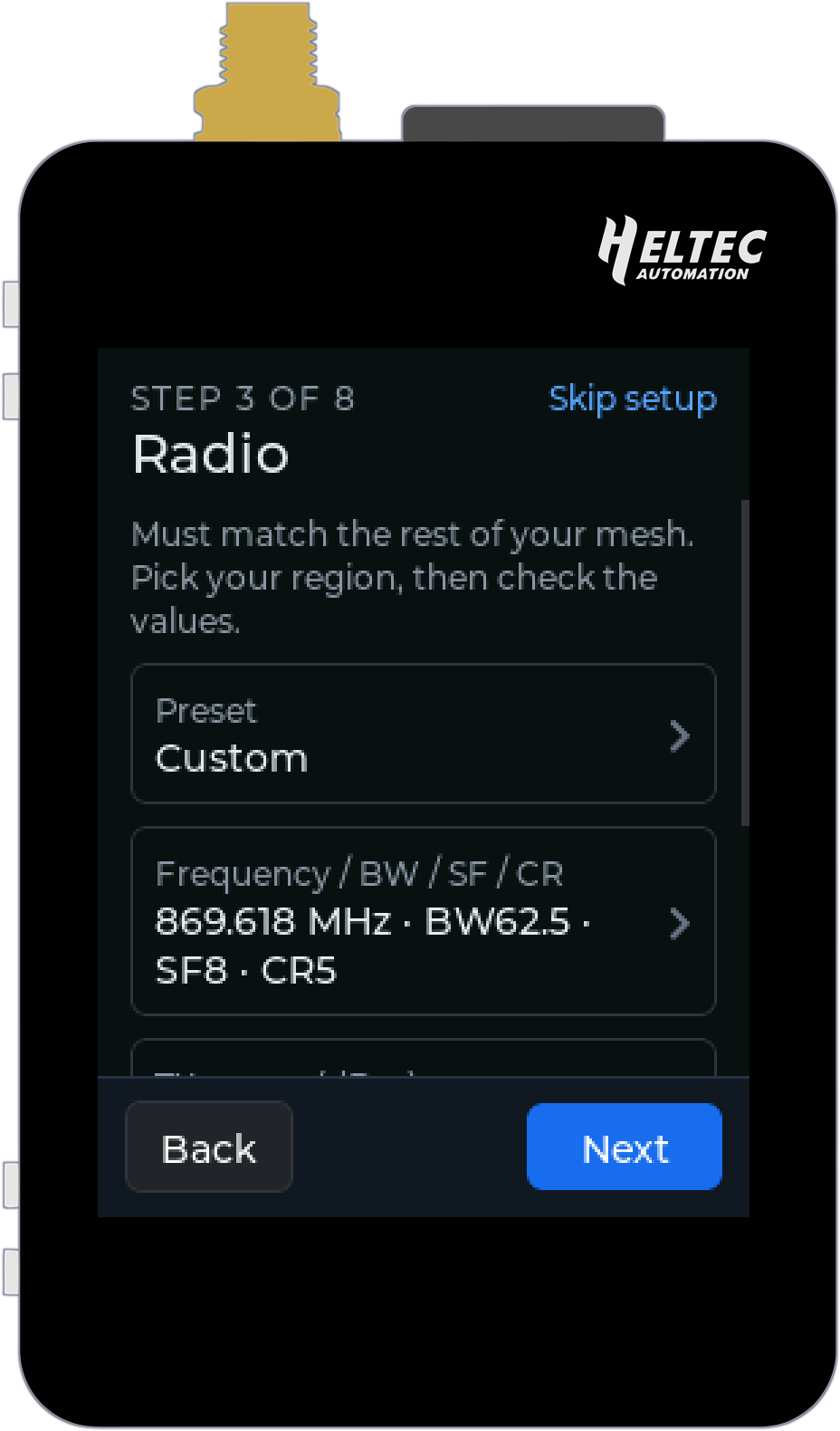
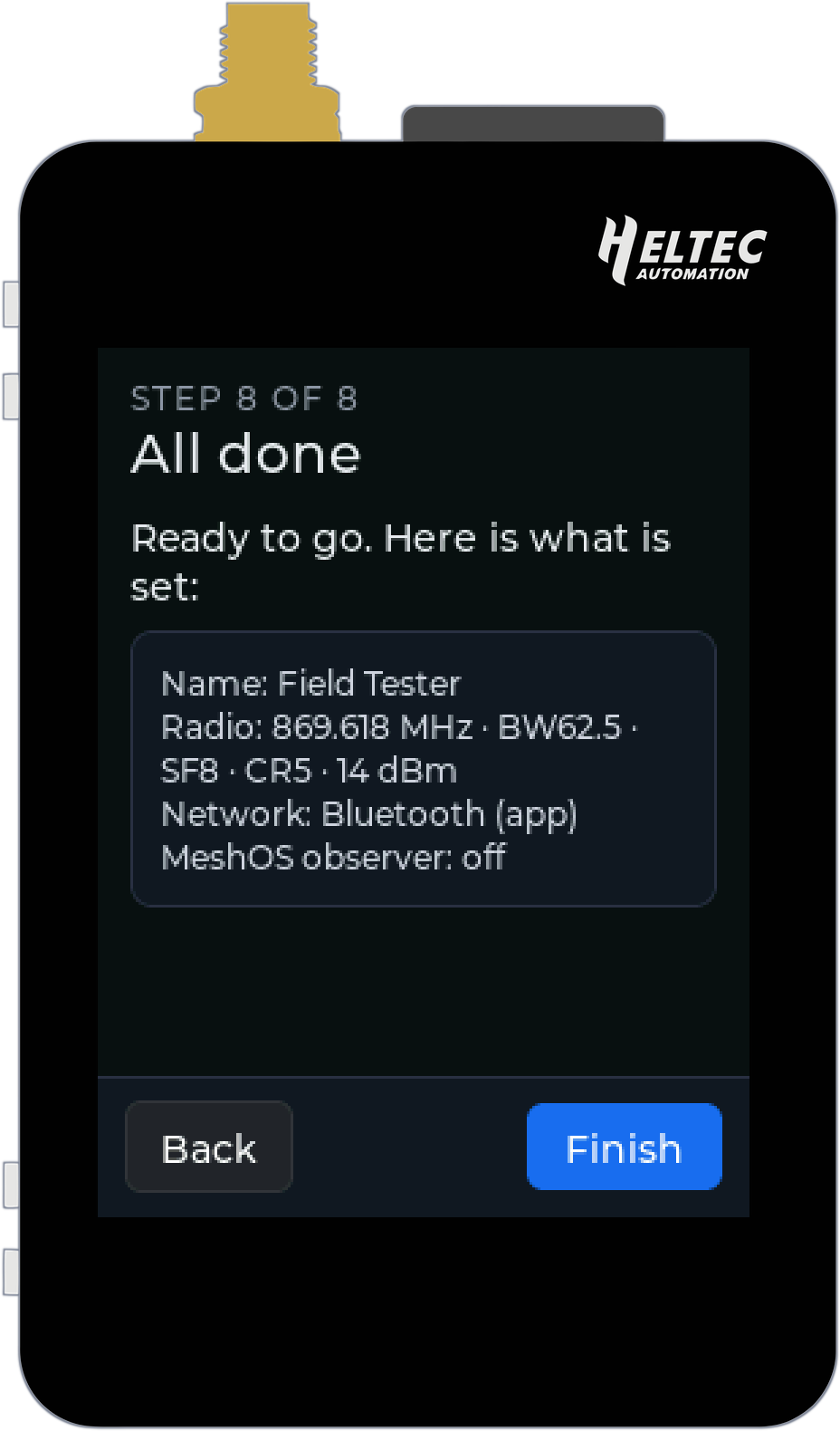
Underneath, it is the full MeshOS Repeater, so it repeats like any MeshCore repeater and has all the tools from the MeshOS Repeater post. On first boot the touch screen walks you through a setup wizard: a name, your radio settings (pick your region's preset or type your own), your location and time zone, WiFi or Bluetooth, the MeshOS observer (off unless you switch it on) and an admin password. Eight short steps and it is on the air.
After that, every setting lives on the Settings tab with an on-screen keyboard, and the Console tab takes any repeater command. On WiFi the kit has the same web page as the other MeshOS repeaters, and the MeshOS app manages it too (Tools, Manage a repeater) over Bluetooth or your network. Set it up in your hand, take it out testing, and leave it on the shelf as a home repeater when you get back.
Updates and the console
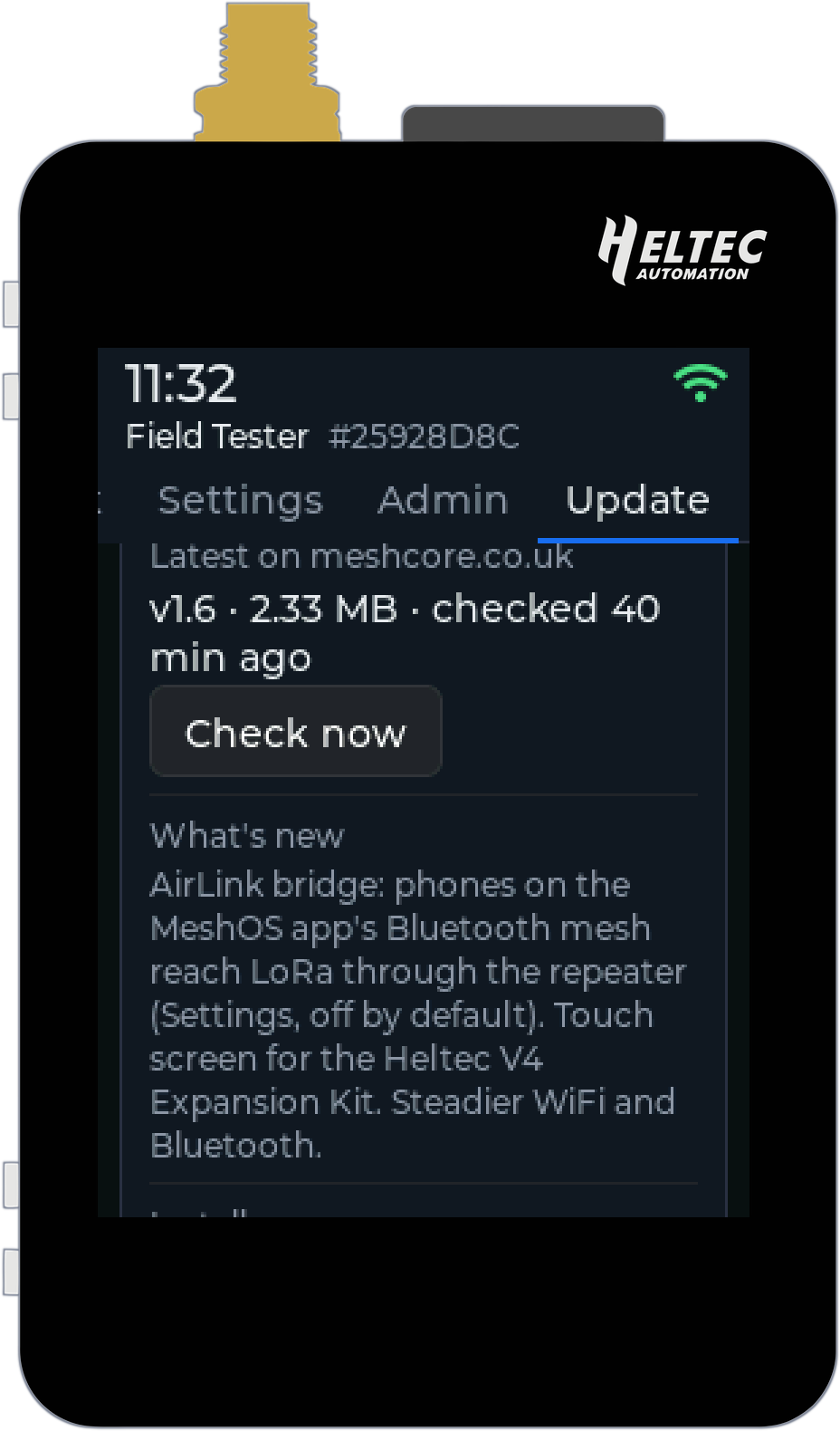
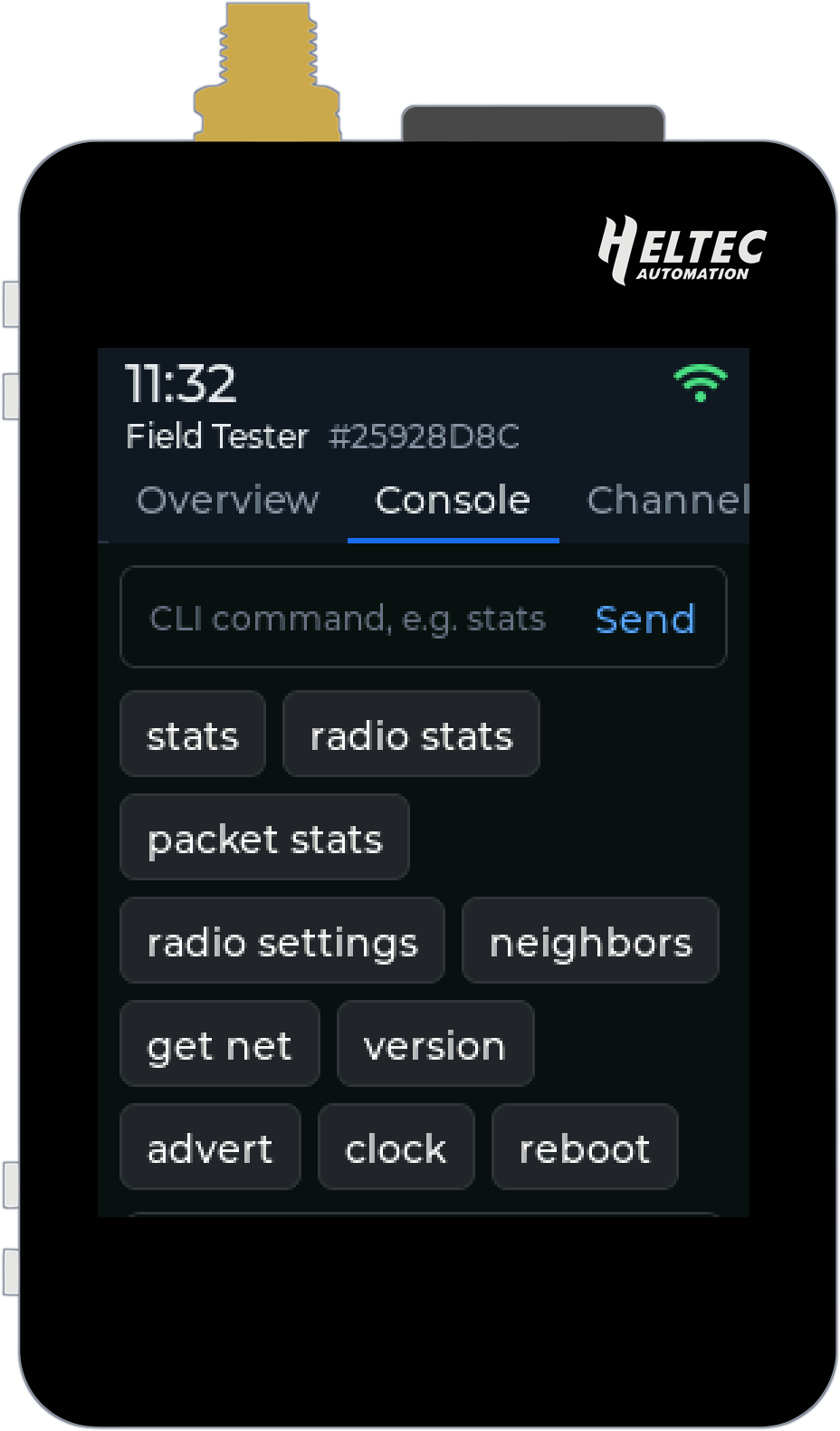
The Update tab checks meshcore.co.uk for new firmware, shows what is new and installs it at the press of a button. The web page and the MeshOS app can update it too, the app over Bluetooth. The Console has buttons for the commands you use most, and the same commands work on the web page, over Bluetooth and on TCP port 23.
The little things
- The PRG button turns the screen off and on. Turned off with the button, only the button wakes it, so it stays dark in your pocket.
- Screen timeout from 30 seconds to never, in Settings under Display.
- The clock and the packet log use your time zone, and summer time switches by itself.
- On battery, the charge shows in the top corner.
How to get it
Open the configurator in Chrome or Edge on a computer, choose Heltec v4 + Expansion Kit (Touch), pick MeshOS Field Tester, Repeater and AirLink Bridge and press Install. When it boots you get a splash screen, then the setup wizard. Updates after that come straight to the kit.
I hope you enjoy this cool new way to use the Heltec V4 Kit and I hope you find it useful!
See you on the mesh!
Andy
73 de M6JKA